Build a field service app with AI. Production-ready, in one prompt.
Dispatch technicians to service jobs: intake calls, schedule and route visits, track jobs from en route to completed, and bill the work. Describe it once and Atomix builds the whole app — sign-in, database, payments and hosting built in — tested in a real browser before you see it.
Edit the description if you like, then press Build. Free to start — no card.
Dispatch Desk
Today's jobs, open emergencies, technicians on the road and revenue this month.
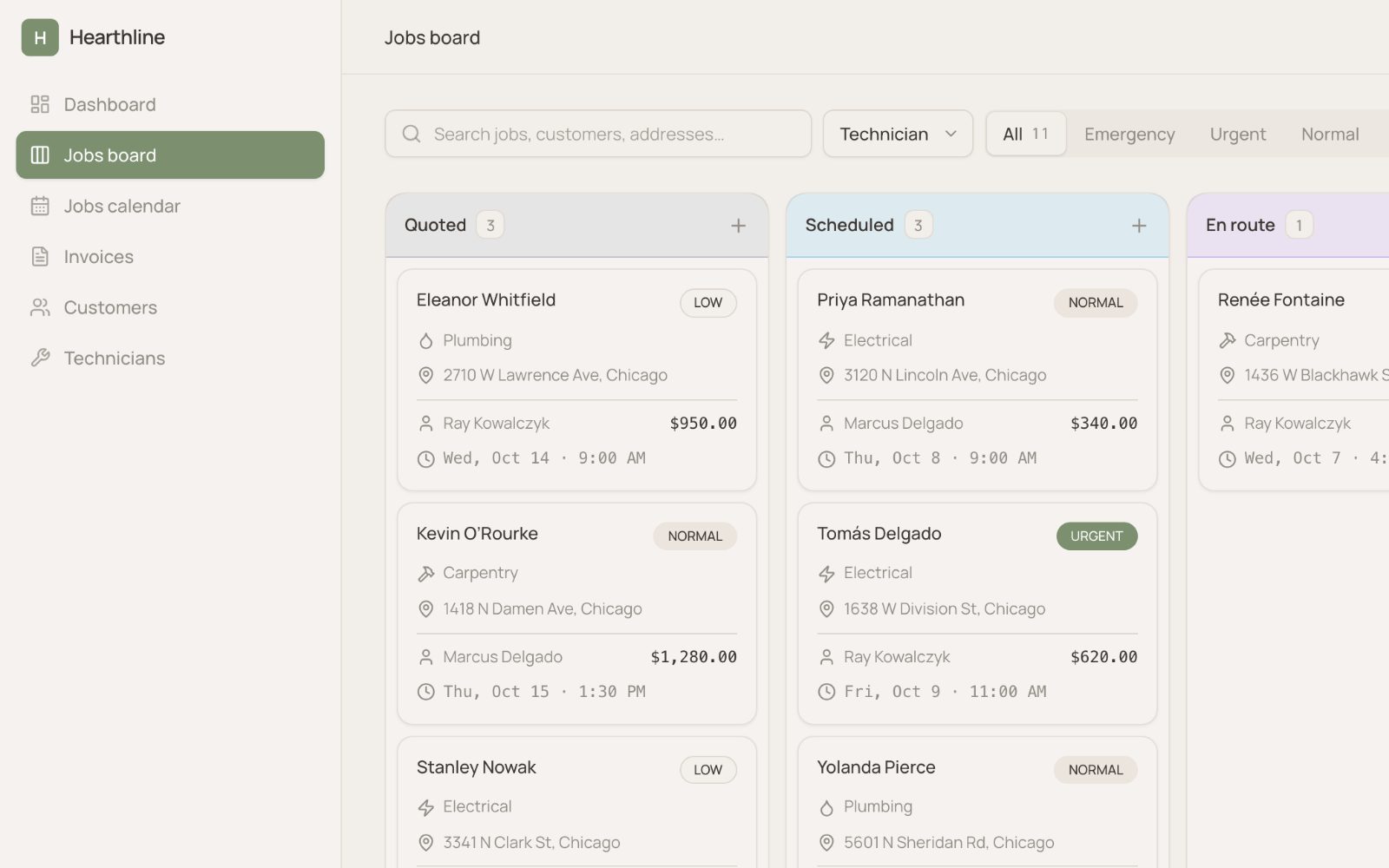
Dispatch Board
Jobs by status from new to completed; assign technicians and track the day live.
Schedule
The visit calendar; book jobs into open slots and rebalance the week.
Jobs
Every job with priority, cost and summary; select one for the full visit record.
Customers
Customer sites with contact details and service notes.
Technicians
The roster by trade with live status and home base.
Equipment
Installed units by customer with warranty and last service date.
Reports
Revenue by month, jobs by type and technician workload.
Settings
Company profile, service territories and dispatch preferences.
Customer
A household or business the company services.
nametypeaddresscityphoneemail
Technician
A field technician on the roster.
nametradephoneemailstatushome base
ServiceJob
A visit to a customer site, from intake to completed.
titletypeprioritystatuslabor hourstotal cost
Equipment
A unit installed at a customer site.
modelcategoryserial numberinstalled dateunder warranty
Dispatcher
Intakes calls, assigns technicians and keeps the day's board moving.
Field technician
Works assigned jobs on site and logs hours, cost and findings.
- Sign-up and sign-in
- A real database
- Payments with Stripe or Razorpay
- Live on a link in one click
- Light and dark, phone and laptop
- Export the code (paid plans)
- Construction ManagementRun construction jobs end to end: projects with budget and schedule, subcontractors by trade, change orders, the punch list and inspections.
- Maintenance ManagementKeep a facility running: registered assets with lifecycle status, preventive maintenance plans that generate work orders, breakdown triage and repair history.
- CRMTrack companies, contacts and deals through a sales pipeline with activities and follow-ups.
- Sales PipelineRun a revenue team: opportunities by stage, rep quotas and attainment, forecast calls per period, and the activities that move deals to close.
- Customer SuccessRun a customer success team: account health scores, renewals and net revenue retention, onboarding and save playbooks, QBRs and touchpoints.
- Help DeskRun a ticketed help desk: queues by priority and SLA, agent assignment, escalation, macros and resolution tracking.